Cute Font Generator
Type any text and instantly copy adorable cute font styles for Instagram, WhatsApp, TikTok bios & more. 🌸
The Free Cute Font
Generator
Type any text and instantly copy adorable cute font styles for Instagram, WhatsApp, TikTok bios & more.
6 Cute Style Cards
Bubble, dark bubble, small caps, tiny, circled and square — all free.
Instant Preview
Every cute font updates in real time as you type. No loading, no waiting.
One-Click Copy
Tap Copy on any cute font card and it goes straight to your clipboard.
Pastes Into Most Apps
Cute fonts are plain Unicode text, so they paste into most apps that accept text.
Cute Font Generator — Adorable Text Styles Online
A cute font generator turns plain text into decorative Unicode letters that you can copy and paste anywhere. Type your words in the box above, choose a style, and press Copy. There is nothing to download, no sign-up, and the result works in any app that accepts text.
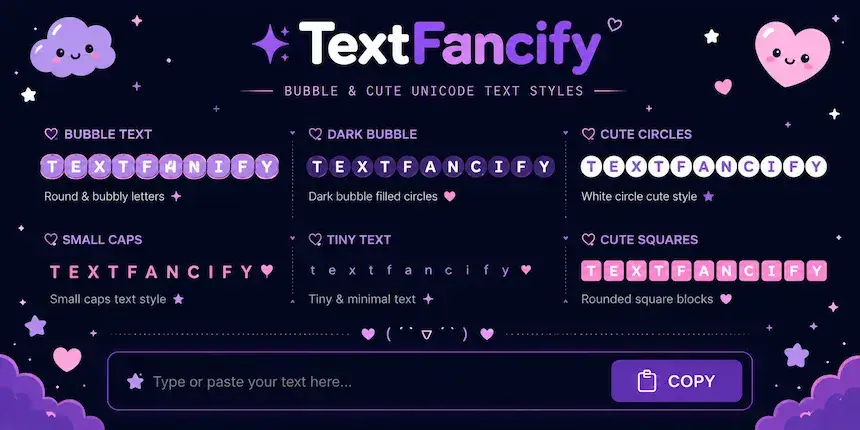
This free cute font generator gives you six cute text cards: bubble, dark bubble, small caps, tiny text, circled text and square text. Every card updates live as you type, so you can compare them side by side before you copy one.
How to Use the Cute Font Generator
- 1Type your textType or paste your text into the box at the top of the page.
- 2Compare the stylesWatch every cute style update at once, or filter by Bubble Text, Small & Tiny or Circle Text.
- 3Press CopyPress Copy on the card you like.
- 4Paste it anywherePaste it into your bio, caption, comment, chat message or display name.
Because the cute font generator gives you text and not an image, you can still edit the result after pasting. If a style looks wrong in one app, copy a different card and try again.
Cute Font Generator: Copy and Paste Styles
Each card in this cute font generator uses a different group of Unicode characters, so each one behaves a little differently. Use this table to pick the right style for the place you are pasting.
| Style | Looks like | Best for | Watch out for |
|---|---|---|---|
| Bubble | Ⓨⓞⓤⓡ Ⓒⓤⓣⓔ | Bios, short captions, display names | Hard to read in long sentences |
| Dark Bubble | 🅨🅞🅤🅡 🅒🅤🅣🅔 | One-word highlights, headings | Older devices may draw empty boxes |
| Small Caps | ʏᴏᴜʀ ᴄᴜᴛᴇ | Longer lines with a soft, tidy look | A few letters come from phonetic blocks |
| Tiny Text | ʸᵒᵘʳ ᶜᵘᵗᵉ | Taglines and side notes | Very small on phone screens |
| Circled | Ⓨⓞⓤⓡ Ⓒⓤⓣⓔ | Same circled letters as Bubble, handy as a second copy | Same readability limits as Bubble |
| Square | 🅈🄾🅄🅁 🄲🅄🅃🄴 | Bold labels, short titles | Capital letters only, so keep it short |
Bubble and Circled Text
Bubble text places each letter inside a small circle, such as Ⓒⓤⓣⓔ. It is the most recognisable cute style and suits short phrases, names and bios. This card uses the circled letters from the Unicode Enclosed Alphanumerics block, and the Circled Text card shows the same characters. Need more circle variations? Try our bubble text generator.
Covered Text (Circled Letters)
Some people search for a covered text generator when they want letters wrapped inside a shape. On this page, that is the Circled Text card: every letter sits inside a circle, which "covers" it. Use it for short words, since a full paragraph of circled letters is tiring to read.
Dark Bubble Text
Dark bubble text fills the circle, so each letter looks white on a solid dot, as in 🅒🅤🅣🅔. It stands out strongly, which makes it good for a single word or a short heading rather than a full sentence.
Small Caps
Small caps keep the capital-letter shape but shrink it to lowercase height, as in ᴄᴜᴛᴇ ᴛᴇxᴛ. It reads more easily than bubble styles, so it works well for longer captions. For more shrinking options, see the small text generator.
Tiny Text
Tiny text uses raised superscript-style letters such as ᶜᵘᵗᵉ. It gives a quiet, whispered look that fits a tagline or a side comment. Keep the important part of your message in a normal style, because tiny characters can be difficult to see on small screens.
Square Text
Square text puts each letter in a small box, as in 🄲🅄🅃🄴. It gives a neat, label-like look. Only capital letters are available, so it is best for short titles and nicknames.
Cute Font Generator With Symbols
Cute text looks even better with a few small symbols around it. The cute font generator does not add symbols for you, but you can copy any of these and paste them next to your styled text:
♡ ♥ ✿ ❀ ☆ ★ ✧ ˚ ₊ ⊹ ✦ ☁ ☾ ❥ ⋆
For example, ✿ ⓒⓤⓣⓔ ⓥⓘⓑⓔⓢ ✿ or ☆ ʙᴇ ᴋɪɴᴅ ☆. Use one or two symbols as a frame, not a whole row, so your text stays easy to read. Looking for a larger collection to browse? Our copy and paste fonts page has more styles to try.
Where Can You Use Cute Font Generator Text?
Text from the cute font generator is plain Unicode, so you can paste it in most places where you can type. These are the most common ones:
Instagram Bio and Captions
Paste cute text into your bio, your display name, captions and comments. Instagram usernames accept only letters, numbers, periods and underscores, so keep the cute text in your display name and bio. More ideas are on our Instagram fonts page.
WhatsApp and Discord
Paste cute text into chat messages, your About line, group names and nicknames. Short phrases work best in chat, because long messages in bubble styles are harder to scan.
TikTok
Use cute text in your profile name, bio and video captions. A short styled word followed by normal text keeps captions readable.
Names and Usernames
Many apps allow decorative text in a display name even when the username is restricted. Check the rules of each platform, and keep your real name or handle readable so friends can still find you.
Why Cute Font Generator Text Works When You Paste It
Cute fonts are not real font files. They are Unicode characters, the same standard that lets your phone show letters from any language. The circled letters Ⓐ to Ⓩ live in the Enclosed Alphanumerics block, while dark bubble and square letters come from the Enclosed Alphanumeric Supplement block. You can browse the circled letters in the official Unicode Enclosed Alphanumerics chart and the phonetic letters used for small caps in the Unicode Phonetic Extensions chart.
Because the characters are part of the text itself, they travel with it. That is why you can copy a cute card here and paste it into another app without installing anything. The one catch is the device doing the displaying: a very old phone or app may not have a symbol in its font, and it will show an empty box instead.
Tips for Using a Cute Font Generator Without Losing Readability
- Style a few words from the cute font generator, not entire paragraphs.
- Pair one fancy style with normal text so the message stays clear.
- Preview your text on a phone before you post it.
- Keep key information, such as links, dates and names, in plain text. Screen readers may read styled characters one by one or skip them.
- Avoid mixing more than two styles in one line.
Frequently Asked Questions About the Cute Font Generator
More Free Text Generators on TextFancify
Looking for a different style? We have a dedicated generator for every need:
- Bold Text Generator — 10+ bold Unicode styles for every platform
- Fancy Text Generator — 200+ styles for every occasion
- Cursive Font Generator — Beautiful flowing handwritten styles
- Glitch Text Generator — Corrupted glitch and distorted effects
- Small Text Generator — Tiny superscript and subscript styles
- Italic Font Generator — Elegant slanted italic text styles
- Font Generator — All 200+ styles together in one place