Vaporwave Text Generator
Type any text and instantly copy aesthetic vaporwave text styles for Instagram, TikTok, Discord & more. 🌊
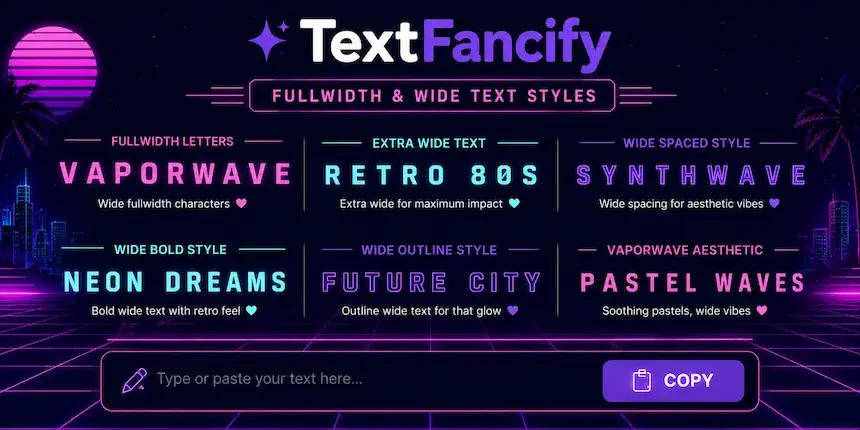
A vaporwave text generator turns ordinary letters into fullwidth and wide spaced Unicode text, the stretched look of 80s and 90s retro aesthetic. Type your words in the tool above, tap a style card, and paste the result into Instagram, TikTok, Discord, or anywhere else that accepts text.
How to Use the Vaporwave Text Generator
- 1Type your textType or paste your text into the box. Short words such as names, bios, and captions look best.
- 2Watch the styles updateEvery vaporwave style updates live as you type.
- 3Tap a cardTap the card you like. It copies to your clipboard instantly.
- 4Paste it anywherePaste it into your bio, username, caption, comment, or chat.
There is nothing to install and no account to create. The converter runs in your browser, so your text stays on your device.
Vaporwave Text Styles Compared
Each style in this vaporwave text generator changes the text in a different way. Here is how the five styles differ, so you can pick the right one before you paste.
| Style | What it does | Looks like | Best for | Watch out for |
|---|---|---|---|---|
| Fullwidth Vaporwave | Swaps each letter for its fullwidth Unicode twin | vaporwave | Bios, captions, usernames | Search will not match normal spelling |
| Wide Spaced | Fullwidth letters with a space between each character | v a p o r w a v e | Short titles, Discord status | Long sentences become hard to read |
| Aesthetic Bold | Bold sans-serif style letters | 𝘃𝗮𝗽𝗼𝗿𝘄𝗮𝘃𝗲 | Captions, headlines | Not wide, so it reads as bold text |
| Retro Script | Bold script letters with a handwritten feel | 𝓿𝓪𝓹𝓸𝓻𝔀𝓪𝓿𝓮 | Playlists, edits, bios | Thin details can blur at small sizes |
| Neon Double Struck | Outlined double-struck letters | 𝕧𝕒𝕡𝕠𝕣𝕨𝕒𝕧𝕖 | Gaming tags, titles | Some fonts show empty boxes |
Fullwidth text uses different characters from normal letters. That is why it looks wider, and also why a search for plain "vaporwave" will not find a fullwidth vaporwave.
Where Vaporwave Text Works
Because this vaporwave text generator outputs Unicode text and not an image, it travels well. It works in:
- Instagram bios, captions, and comments
- TikTok usernames and video descriptions
- Discord nicknames, server names, and messages
- WhatsApp status and chats
- X (Twitter) display names and posts
- Gaming profiles and clan tags that allow Unicode
Some apps restrict characters in usernames. If a field rejects a style, try another card, or use the vaporwave text only in the display name or bio.
What Is Vaporwave Text?
Vaporwave began as an internet music genre and visual style in the early 2010s. It borrows from 80s and 90s advertising, early computer graphics, shopping mall music, and Japanese pop culture. You can read the full background on the Vaporwave Wikipedia page.
The signature text look comes from fullwidth characters. The Unicode Standard includes a Fullwidth Forms block (U+FF00 to U+FFEF) that holds wide versions of Latin letters and numbers, originally made to match East Asian text. You can browse the block in the official Unicode chart. Vaporwave artists adopted these wide letters for album titles and cover art, and the style stuck.
Vaporwave Text Ideas You Can Copy
Try these patterns after you type your own words into the vaporwave text generator:
- Bios: a short phrase such as "aesthetic vibes" with a moon or wave emoji.
- Usernames: your name in fullwidth, if the platform allows it.
- Captions: one wide spaced word as the title, then normal text below it.
- Playlists and edits: use a retro script title for lo-fi, synthwave, or city pop collections.
- Gaming tags: keep it to one or two words so it stays readable.
Tips for Better Vaporwave Text
- Keep it short. Wide text takes more room, so a few words read better than a paragraph.
- Mix styles. Use vaporwave text for the headline and normal text for details people need to read.
- Think about accessibility. Screen readers may read wide spaced text one letter at a time, so avoid it for important information.
- Check your font. If you see empty boxes, the app's font lacks some characters. Switch to another style.
- Do not overdo it. One styled line per post usually looks cleaner than many.
Vaporwave Text Generator FAQ
More Free Text Generators on TextFancify
- Bubble Text Generator — copy and paste bubble fonts
- Cute Font Generator — soft, playful Unicode styles
- Strikethrough Text Generator — crossed out text in one click
- Italic Font Generator — slanted Unicode letters
- TextFancify Font Generator — every style in one place