Bold Text Generator
Use this bold text generator to instantly copy bold font styles for Instagram, WhatsApp, gaming names, TikTok bios & more. 💪
The Free Bold Text
Generator
Type any text and instantly copy bold font styles for Instagram, WhatsApp, gaming names, TikTok bios & more.
7 Bold Text Styles
This bold text generator offers classic bold, bold italic, sans bold, script, double-struck and other available styles.
Live Preview
Preview converted text in the bold text generator as you type, then choose the style that suits your message.
One-Click Copy
Copy a result from the bold text generator with the Copy button and paste it into a compatible text field.
Useful for Social Text
Try bold text generator results in bios, captions, messages and usernames, then check how they display.
Free Bold Text Generator — Copy and Paste Bold Fonts
This free bold text generator converts ordinary letters and numbers into selected Unicode-style characters that look bold, italic, script or decorative. Enter your text in the tool above, preview the available styles, and copy the version you want. You do not need to install a font file just to copy the generated characters.
Use a bold text maker to highlight a name, short phrase, profile detail or caption. The result is text made from different Unicode characters—not the same thing as switching on the bold button in a word processor. Display and support can vary by app, device and character, so check the pasted result before publishing it.
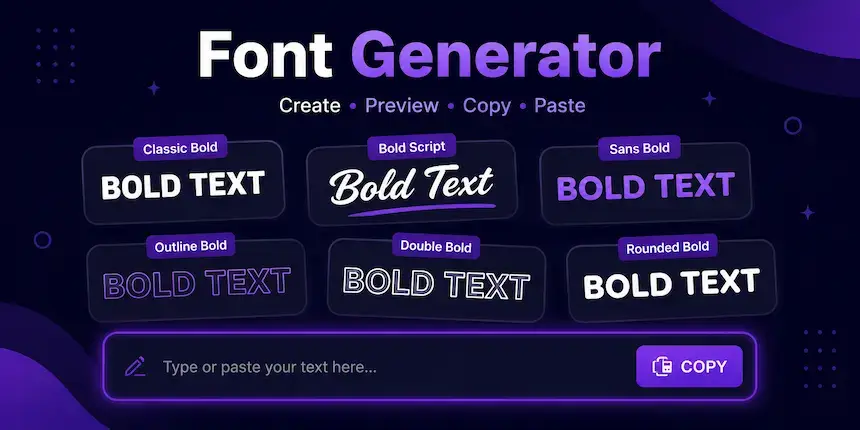
How to Use This Bold Text Copy and Paste Tool
You can use this bold text generator to create a bold-looking version of your text in a few steps:
- 1Enter your textType a name, word or short sentence into the input box above.
- 2Choose a styleUse the category buttons to compare classic bold, bold italic, sans bold and script-style results.
- 3Copy your resultSelect Copy on the bold text generator style you prefer. If the clipboard action is blocked by your browser, select and copy the text manually if it is shown.
- 4Paste and checkPaste the result into your target app and make sure every character displays as expected.
Bold Font Styles You Can Try
Different styles suit different uses. The bold text generator provides several Unicode character sets; the examples below show the visual differences. Exact character coverage varies, especially for punctuation, symbols and characters outside the basic Latin alphabet.
Classic Bold Text
Example: 𝐁𝐨𝐥𝐝 𝐓𝐞𝐱𝐭. Classic bold uses serif-style mathematical bold characters. It can suit short headings, names and phrases where you want a strong, traditional look.
Bold Italic Text
Example: 𝑩𝒐𝒍𝒅 𝑰𝒕𝒂𝒍𝒊𝒄. This style combines a bold appearance with a slant. Try it for short captions, quotations or a few words that need visual emphasis.
Sans-Serif Bold Text
Example: 𝗕𝗼𝗹𝗱 𝗧𝗲𝘅𝘁. Sans-serif bold has a clean, modern appearance. It may suit display names, short profile text and headings, depending on the platform's character support.
Bold Script and Decorative Styles
Example: 𝓑𝓸𝓵𝓭 𝓣𝓮𝔁𝓽. Script and other decorative styles create a more ornamental look. They are best used sparingly because some characters can be harder to read, and some devices may render them differently.
Which Bold Text Style Should You Choose?
| Style | Appearance | Good starting point for |
|---|---|---|
| Classic bold | 𝐁𝐨𝐥𝐝 | Short emphasis and readable names |
| Bold italic | 𝑩𝒐𝒍𝒅 | Quotes and expressive captions |
| Sans-serif bold | 𝗕𝗼𝗹𝗱 | Modern-looking display text |
| Bold script | 𝓑𝓸𝓵𝓭 | Decorative names and short phrases |
| Double-struck | 𝔹𝕠𝕝𝕕 | A distinctive outlined-style look |
These are visual suggestions, not guarantees about how an app will render the characters. Try the copied result in its destination before using it in an important post or username.
Bold Text for Instagram, Facebook and Other Apps
People often search for a bold font generator because they want to style text in a profile, caption or message. Unicode-style characters can be pasted into many text fields, but support is not identical across every app or feature. Some platforms restrict particular fields, and some characters may be missing from a device's font.
Bold Text for Instagram
To try bold-looking text in an Instagram bio or caption, generate a short sample with the bold text generator, copy it, paste it into the field, and preview it before saving. Do not assume every Unicode character is supported in every Instagram feature. If a character appears as a box or question mark, choose a simpler style.
For platform-specific guidance, see our Instagram Fonts page.
Bold Text for Facebook
For a Facebook post or profile field, use the bold text generator to copy a short sample and check how it appears after pasting. Unicode-style text is different from the normal formatting controls available in some editors. Use standard formatting where available, particularly for long text that needs to remain easy to read.
Bold Text for WhatsApp
WhatsApp also supports its own message-formatting method: typing an asterisk on either side of a word or phrase can make it bold in supported message contexts. Unicode-style bold characters are a separate option and may look different. Choose the method that works best for your message and the place where you are posting it.
Bold Text for TikTok, Discord and Gaming Names
You can test bold-looking Unicode characters in a TikTok bio, Discord text field or game name field if that field accepts them. Username rules differ by service, and some games limit the characters allowed in names. Always check the platform's rules and preview the name before confirming a change.
Unicode Bold Text vs. Normal Bold Formatting
Normal bold formatting changes the presentation of text in an editor that understands formatting, such as a word processor or a rich-text field. The underlying letters remain ordinary text, with bold styling applied by the application.
A Unicode bold text generator instead maps supported characters to different code points that have bold-looking designs. For example, regular “Bold” can become “𝐁𝐨𝐥𝐝” or “𝗕𝗼𝗹𝗱”. These are distinct characters, not merely the original letters with a bold font setting.
The Unicode Standard includes mathematical alphanumeric symbols with styles such as bold, bold italic, script and sans-serif bold. Unicode documents these characters primarily for mathematical notation, so decorative use in ordinary text should be considered a visual workaround rather than a universal formatting feature. You can inspect the official Unicode Mathematical Alphanumeric Symbols chart.
For semantic emphasis in web content, HTML provides elements such as the strong importance element. That is different from replacing normal letters with decorative Unicode characters.
When to Use a Bold Text Maker—and When Not To
Decorative bold characters are most useful for short text such as a display name, a few words in a caption or a profile detail. They are less suitable for long paragraphs, accessibility-critical instructions, or content where reliable searching, copying, screen-reader pronunciation and character compatibility matter. Some screen readers may announce the actual mathematical character names rather than the ordinary letters you intended.
- Use it for: short names, brief captions, profile details and decorative emphasis where the destination supports the characters.
- Use normal formatting for: long articles, important instructions, business documents and content that needs consistent accessibility.
- Check before publishing: punctuation, numbers, non-English letters and the way the copied result displays on another device.
Is the Bold Text Generator Free?
Yes. This bold text generator is free to use on this page without creating an account. Enter your text, compare the available styles and copy the result you want. Please note that the number of styles and the characters supported by each style depend on the tool's available mappings.
Want to explore more designs? Visit our Font Generator for other text styles, or try the Bold Italic Text Generator for a more specific combination.
Frequently Asked Questions
More Free Text Generators
Explore related TextFancify tools if you want a different look:
- Cursive Font Generator — flowing handwritten-style text
- Fancy Text Generator — a range of decorative text styles
- Cute Font Generator — cute and playful text styles
- Bubble Text Generator — circled and square-style letters
- Strikethrough Text Generator — crossed-out text styles
- Italic Font Generator — slanted text styles
- Bold Italic Text Generator — bold and slanted characters
- Small Text Generator — tiny superscript and subscript styles
- Glitch Text Generator — distorted text effects
- Font Generator — explore the main text generator