Cursive Font Generator
Type any text and instantly copy beautiful cursive font styles for Instagram, WhatsApp, TikTok bios & more. ✍️
Create Cursive Text to Copy and Paste
Turn ordinary text into decorative Unicode styles, preview the results, and copy the version you like. No font download is required.
8 Text Styles
Explore classic cursive, script, italic, blackletter and other decorative styles.
Live Preview
See the transformed text as you type, then compare the available styles.
Copy and Paste
Use the Copy button on a result to copy its text to your clipboard.
No Font Installation
The tool uses Unicode characters; display can vary by app, device and font support.
What Is a Cursive Font Generator?
TextFancify's cursive font generator converts ordinary letters into decorative Unicode characters that resemble cursive, script, italic or blackletter writing. Enter a word, name or short message, preview the available styles, and copy the result to use in a profile, caption, message or other text field. This cursive font generator is intended for quick, decorative text rather than replacing a full typography or design application.
This cursive font generator creates Unicode text characters rather than applying a font file to your original text. That means you can usually copy and paste them without installing a typeface. However, the appearance and availability of individual characters depend on the platform, app, device and font being used.
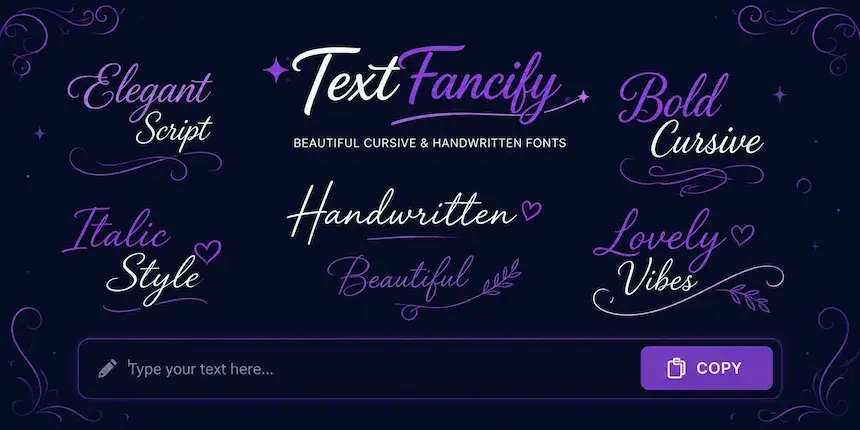
How to Use This Cursive Text Generator
This cursive font generator lets you create copyable cursive text in a few simple steps:
- 1Enter your textType a name, word or short sentence in the input box. The tool accepts up to 80 characters.
- 2Compare the stylesUse the category buttons to view classic cursive, bold script, italic and Old English-style results.
- 3Copy your favouriteSelect Copy beside the result, then paste the converted text into the app or document you want to use.
If a character does not appear as expected after pasting, try another style or check how the destination app displays Unicode characters. The cursive font generator changes supported letters into decorative characters; it does not install a typeface.
Cursive Font Styles You Can Try
The cursive font generator provides eight output styles. They are text transformations, not eight downloadable font files. Try more than one style because readability and character support can differ.
Classic Cursive
Classic cursive uses flowing, handwritten-looking mathematical script characters. Try it for a display name, short quote, greeting or profile description when you want a softer, decorative appearance.
Bold Script
Bold script gives the text a heavier decorative look. It can help a short name or phrase stand out, although the exact weight and shape depend on how the receiving device renders the characters.
Italic and Sans Italic
Italic styles lean the letters and offer a simpler alternative to ornate script. They can suit short captions, quotes and profile text when you want a slanted look that is less elaborate than classic cursive.
Bold Italic and Sans Bold Italic
These styles combine a slanted appearance with heavier letterforms. Use them for short emphasis or decorative headings. Avoid relying on stylised characters for long passages where standard text is easier to read.
Old English and Fraktur
Old English-style and Fraktur characters use ornate blackletter forms. Their dramatic shapes may suit gaming names, creative profiles or short decorative phrases. They can be harder to read at small sizes, and some letters may not display on every device.
Cursive Font Styles: Quick Comparison
Use this table to compare the styles available in the cursive font generator and choose one for your text. The examples below describe their general appearance; the way characters display can vary by app, device and font support.
| Style | Appearance | May suit | Keep in mind |
|---|---|---|---|
| Classic Cursive | Flowing, handwritten-looking script | Names, short quotes and profile text | Some characters may look different across devices. |
| Bold Script | Heavier decorative script | Short names and phrases you want to emphasise | Check readability at small sizes. |
| Italic | Slanted serif-style characters | Quotes and short captions | It is decorative Unicode text, not a font applied to a document. |
| Sans Italic | Slanted sans-serif characters | A simpler, less ornate look | Character support depends on the destination app. |
| Bold Italic | Bold, slanted serif-style characters | Short decorative emphasis | Long passages may be harder to read. |
| Sans Bold Italic | Bold, slanted sans-serif characters | Compact, strong-looking short text | Preview it after pasting before sharing. |
| Old English | Ornate blackletter characters | Creative profiles and gaming names | The decorative shapes can be harder to scan. |
| Fraktur | Traditional blackletter-style characters | Distinctive short words and display names | Some letters may not display on every device. |
Where Can You Use Cursive Text?
Use this cursive font generator to create text you can try in social profiles, messages, captions, usernames and other text fields that accept the characters. Always check the result in the destination app before relying on it, because platform support and character rendering are not identical everywhere.
Cursive Text for Instagram
Copy a style from the cursive font generator and test it in your Instagram bio, caption or other text field. Some characters may display differently from the preview, and stylised letters can be less accessible to screen readers or search features than ordinary text. Keep important names and information understandable.
Cursive Text for TikTok
Decorative text can be used for a short profile description or name where TikTok accepts the characters. Preview the result after pasting, and use standard letters if the text becomes difficult to read or is rejected by the app.
Cursive Text for WhatsApp
You can test text from this cursive font generator in a WhatsApp message, status or profile field. The result depends on character support in the app and on the recipient's device. If a character appears as a blank box, choose a simpler style.
Cursive Text for Discord, Facebook and X
Try the copied result in a Discord profile, Facebook text field or X profile. Different fields may have different limits or moderation rules, so check the final result after pasting. For accessibility, consider using ordinary text for essential details.
How Unicode Cursive Text Differs from a Font
A cursive font generator like this one differs from a traditional font, which changes how software draws ordinary characters. TextFancify's generator instead maps supported letters to separate Unicode characters that look decorative. The result can be copied as text, but it is not the same as applying a cursive typeface to a document.
Unicode characters do not guarantee identical display on every platform. Some letters may be missing from a device's font, a platform may restrict certain characters, and screen readers may pronounce stylised text unexpectedly. For longer writing, documents or accessibility-sensitive content, a conventional font is often the better choice.
For background on the character standard, see the Unicode Consortium website. The tool's examples are intended for decorative text, and the receiving platform determines how each character appears.
Is This Cursive Font Generator Free?
Yes. You can use this cursive font generator to enter text, preview the available styles and copy a result without creating an account or downloading a font file. The cursive font generator is designed for quick text conversion in your browser.
Tips for Better Cursive Copy-and-Paste Results
- Keep it short: decorative characters from a cursive font generator are generally easier to scan in names, short captions and brief phrases than in long paragraphs.
- Preview before sharing: paste the text into the destination app and check it on the device you use.
- Try another style: if letters appear as boxes or spaces, choose another cursive font generator style with characters better supported by the destination.
- Keep essential information readable: use ordinary text for contact details, instructions and other information that everyone needs to understand.
- Remember that these are characters: a cursive result may behave differently from ordinary letters in search, accessibility tools or text processing.
Looking for a different text effect? Try the Fancy Text Generator for more decorative styles, the Bold Text Generator for bold Unicode text, or the main Font Generator to explore other text transformations.
Frequently Asked Questions
More Free Text Generators on TextFancify
Explore another generator if you need a different text effect:
- Bold Text Generator — bold Unicode text styles
- Fancy Text Generator — a broader selection of decorative styles
- Small Text Generator — small superscript and subscript styles
- Glitch Text Generator — distorted text effects
- Cute Font Generator — cute and decorative text styles
- Bubble Text Generator — bubble-style letters
- Strikethrough Text Generator — crossed-out text styles
- Italic Font Generator — slanted text styles
- Font Generator — explore the main collection of text tools